One field, one copy: How Elasticsearch columnar storage drops the inverted index
Storing each field once means no inverted index, so doc values now read in bulk and skippers let queries skip whole ranges of documents, while new mapping attributes control what each field is allowed to contain.
Want to get Elastic certified? Find out when the next Elasticsearch Engineer training is running! You can start a free cloud trial or try Elastic on your local machine now.
As part of the 9.5.0 release, Elasticsearch introduced columnar and logsdb_columnar index modes in technical preview. Elasticsearch has had columnar storage using Lucene’s doc values since version 1.0.0. Lucene’s doc values power analytics and search functionalities, like group by and sorting by a field. So, what changes with the columnar index modes?
The changes are about storage and performance, along with the out-of-the-box (OOTB) experience. Up until 9.5.0, Elasticsearch operated as a document-based search engine by default. It could be set up to behave like a columnar system storage-wise, but that wasn’t the OOTB experience. Columnar index modes make a number of fundamental changes that allow Elasticsearch to optimize columnar analytic and search use cases:
Fields are stored once as doc values only and are no longer indexed by default.
New multi-value semantics. The original ordering of multiple values per field per document (for example, in arrays) is preserved by default.
Mappings are always flat, and object and passthrough fields in mappings are always auto-flattened.
How columnar index modes fit into Elasticsearch
Many of the columnar index mode changes originate from time series data streams (TSDSs). As part of making TSDB a competitive metrics solution, we improved doc values format on disk and only store dimensions and metric fields once as doc values. We also improved query performance. TSDB is already columnar today. Essentially, this makes TSDB’s storage mode columnar. The lessons learned from TSDB are now being applied more broadly to Elasticsearch.
Note that columnar index modes are opt-in and columnar, and document-based indices can coexist in the same cluster. An enterprise search use case can use a document-oriented index mode, while a logging use case can use logsdb_columnar index mode and be fully columnar, all in the same cluster. In fact, there are currently seven index modes, and indices can all use them in the same cluster.
How columnar storage stays fast without an inverted index
Indexed fields, either an inverted index for string-based fields or block k-dimensional (BKD) tree for numeric fields, allow Elasticsearch to query or filter by field very efficiently. However, the cost for this is an additional expensive data structure that uses a lot of disk space and is expensive to build at index time and at merge time. With the columnar index modes, fields are no longer indexed by default, so what did we do for query performance to be still acceptable on fields that were no longer indexed?
One major change was improving doc values scanning performance. This is key and is the cornerstone that any columnar system relies on. Previously, the scanning of doc values was essentially document by document. Lucene’s doc values API only allowed for looking up one value at a time. Historically, this fit the execution model of a search engine. In our own doc value format, we build the capability to allow bulk reading of values for Elasticsearch Query Language (ES|QL) queries. Also over recent minor Lucene releases, Lucene doc values API added support for bulk reading. Without this, fast columnar scanning wouldn’t have been possible.
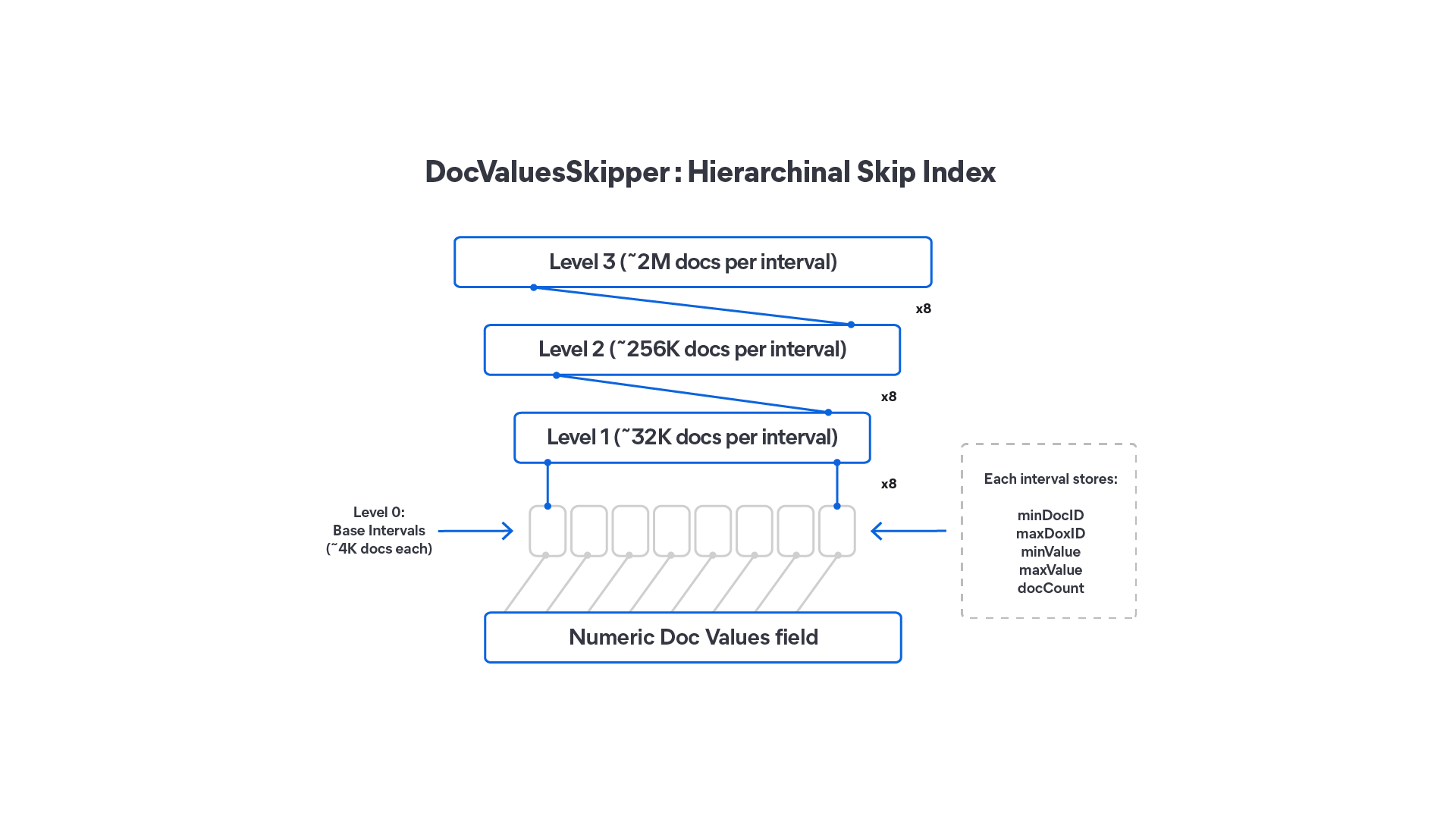
Secondly, we fully adopted doc value skippers, a hierarchical skiplist over doc values. Contrary to an inverted index or a BKD tree, doc values skippers are lightweight data structures. At its core, a skipper allows queries to skip over a range of documents that don’t match a query. It can do this because it stores information, like min and max values. So, for example, when a range query is executed, an interval of documents can be skipped based on the intermediate result and a doc value skipper’s min and max values. The effectiveness of doc value skippers depends on the order in which documents are laid out on disk. This is why index sorting should be enabled or altered to match the use case.
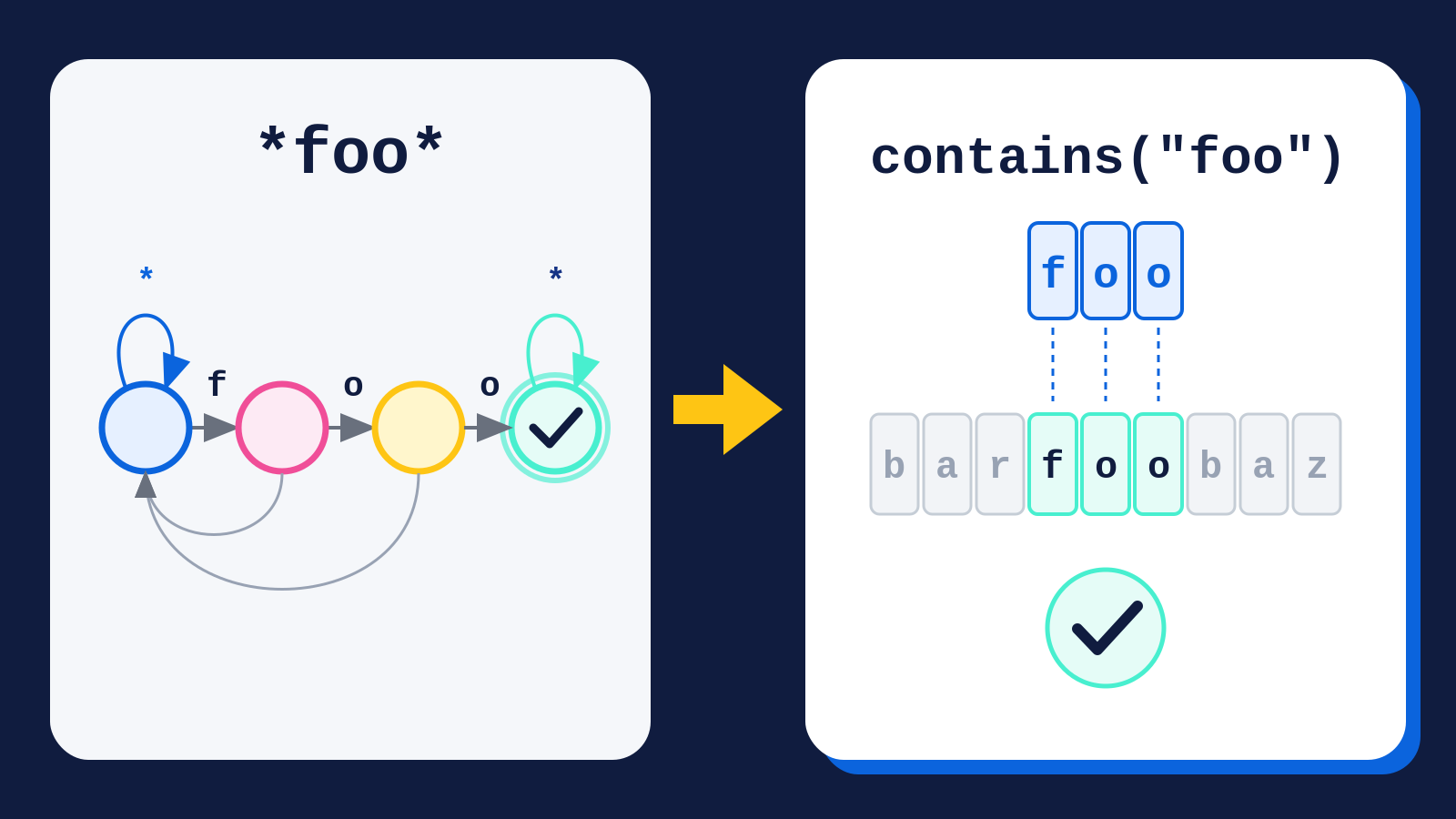
By significantly improving our columnar scanning and doubling down on doc values skippers, we’re able to avoid indexing fields by default. Note that a field can still be indexed; the index mapping attribute just defaults to false in columnar mode. The exceptions to this rule are text-based fields, which are still indexed by default. This is because text fields provide free text search, which includes text analysis, along with phrase and wildcard matching. This is different from just filtering.
How Elasticsearch handles high and low cardinality fields
When setting up a schema with string fields, an important configuration parameter is often cardinality; that is, whether many unique values or a few unique string values are expected. Many systems have dedicated field or column types that target low and high cardinality string fields.
Fields that have low cardinality are typically stored with a dictionary, containing all unique values. Then, for each row offset, the offset into the dictionary containing the term the row has is stored. This is often called an ordinal. For low cardinality fields, this works well, as storing an ordinal per document takes up much less space. Encoding techniques, like delta encoding, offset encoding, and bitpacking, work well for ordinals to compact the per-document storage to just a few bits.
However, for high cardinality fields, the dictionary and ordinal approach can work counterintuitively. If a larger percentage of the documents have a unique value, building the dictionary becomes expensive and storage savings diminish. The dictionary then becomes another level of indirection for reading values. This is why most systems in that case store values in a columnar fashion using block-based compression. For example, values of multiple rows are stored in 128KB blocks using a sliding-window dictionary-based compression algorithm (like zstandard or lz4). This, in general, is a simple and effective method to store higher cardinality fields and avoids building and maintaining a dictionary.
With document-based Elasticsearch, there are two ways to map a string: using either the keyword field mapping or one of the text-based field mappings. The former stores an inverted index and dictionary-based doc values. The latter only stores an inverted index. This is why, typically, a text field mapper is often used in combination with a keyword mapper as a multi-field. Also, keyword field mapper (as the name suggests) is meant for keywords or fields that have a lower cardinality and uses dictionary-based doc values implementation. However, in practice, keyword field mappers are also used for high cardinality.
In columnar mode, every field is only stored once by default. For keyword fields, this means only doc values are stored with no inverted index. Text-based fields now also store doc values and an inverted index by default. Text-based field mappers are different from the keyword field mapper, as these are not automatically used via Elasticsearch’s dynamic mapping logic for columnar indices, and therefore text fields keep storing an inverted index by default.
For both keyword- and text-based fields, we didn’t choose to expose a cardinality mapping attribute. It’s not always possible to know ahead of time whether a field is low or high cardinality. When flushing and merging segments to disk, Elasticsearch sees all values and can determine the cardinality of a field. This is why we’re choosing to automatically determine whether the usage of a dictionary and ordinal-based encoding is beneficial over block-based compression using a simple cardinality threshold. If a field is below this threshold, dictionary and ordinal-based encoding is used; otherwise block-based compression is used. This simplifies configuration of the mappings and makes it possible to automatically optimize storage as data evolves, since some segments may use dictionaries while others may use blocks for the same field. However, this is currently not ready yet and so, as part of 9.5.0, in columnar mode, both keyword- and text-based field mappers store values in doc values in a block-based compressed layout on disk.
The two approaches compare as follows:
| Dictionary and ordinal encoding | Block-based compression |
Suits | Low cardinality fields | High cardinality fields |
What’s stored | A dictionary of unique values, plus one ordinal per document | Values for many documents compressed together in blocks |
Compression | Delta encoding, offset encoding, and bitpacking reduce each ordinal to a few bits | Sliding-window dictionary compression, such as zstandard or lz4, typically over 128KB blocks |
Read path | Resolve the ordinal, and then look up the value in the dictionary | Decompress the block, and then read the value directly |
Cost as cardinality rises | Dictionary grows large, savings shrink, and the extra indirection stays | Stable, with no dictionary to build or maintain |
Used in columnar mode tech preview | Not yet | Yes, for both keyword and text fields |
Columnar mapping attributes: multi_value, nullability, on_failure
The columnar index modes provide more control over how data is stored as doc values. By default, Elasticsearch is lenient and accepts all non-malformed values (for example, nulls and multiple values per field and document). If documents have fields with multiple values per document or no value, doc values store additional data structures to deal with them and therefore implicitly increase costs.
With columnar, new mapping attributes provide additional control. Note that these new mapping attributes are currently only available with the columnar index modes but will eventually also be available for all index modes.
Three new mapping attributes are involved:
Attribute | Default | Enforces | On violation | Available |
|
| One value per document per field | Document indexing fails | 9.5.0 |
|
| Field must have a value | Document indexing fails | 9.5.0 |
|
| How the above failures are handled | Sets | Next minor release |
multi_value: Enforcing single-valued fields
By default, Elasticsearch accepts multiple values per document. To understand the implications of this, we first should take a look at how Elasticsearch (using Lucene’s doc values) stores a dense numeric field where all documents have a single value:
With this layout, all values are stored in blocks. The number of values per block depends on the index mode but is typically 128 values and is always the same within an index. All values in a block are encoded using various encoding techniques, like delta encoding and bit packing, so each block can have a different size, depending on how well the encoding techniques compress the values. This is why a block index is required.
Lucene has the notion of a docid (internal numbering for a document), which is essentially a row identifier.
Queries produce matching docids.
In case of a dense field, the block id can be resolved from the docid directly.
The offset of a block can be resolved from the block index.
Once that has been looked up, the target block gets decoded and all values are available.
Finally, from docid, the ordinal within the decoded values array can be resolved, which produces the final value.
Now let’s have a look at how the data layout changes when documents have multiple values per document:
To determine how many values belong to a single docid, an offset lookup is required.
In this case, a docid has one or more offsets. Each offset points to a block index. Values for a single document are adjacent but can stretch over blocks. In general, compaction of values works well in blocks because values are similar. However, multi-value fields can cause the compaction of values to be less efficient if the number of values per field and document is large and values aren’t similar. This and the additional storage of offsets result in multi-value fields typically having a higher storage footprint on disk.
If a field is truly single-valued, you may want to enforce this property. The multi_value mapping attribute makes that possible now. An example is a log level field. Logs typically have one log level (such as debug, info, or error). Enforcing that this field is single-valued in your mappings can help avoid accidentally using more storage than anticipated. A mapping snippet example that disallows the field log.level to have multiple values per document:
{
  "properties": {
     "log.level": {
        "type": "keyword",
        "multi_value": false
     }
  }
}
Note that even if a field allows multiple values, this doesn’t mean an offset lookup is stored. This only happens when a Lucene segment has at least one document with two or more values. The multi_value mapping attribute exists just for enforcement.
nullability: Requiring every document to have a value
By default, Elasticsearch accepts documents with fields that have no value or null value. Just as multiple values per document require additional accounting, documents with no value require additional accounting to identify which of them have at least one value.
Doc values store a docid to offset lookup (known as IndexedDISI in Lucene) in case not all documents have a value in a segment. The offset either points directly to the block index for single-valued fields or the offset lookup in case of multi-valued fields. This lookup is compact compared to the value blocks being stored. However, if it were to be created for fields that should have at least one value per document, that would be a waste.
The nullability mapping attribute allows you to control whether documents are allowed to have no value. Just like the multi_value mapping attribute, the nullability attribute exists for enforcement. Following is a mapping snippet example that requires the log.level field to have a value:
{
"properties": {
"log.level": {
"type": "keyword",
"nullability": false
     }
  }
}
on_failure: What happens when validation fails
What happens if a document has multiple values for a field and if the multi_value mapping attribute is set to false or when a field is mapped with nullability set to false and a document doesn’t have that field? At the moment, indexing such documents will fail with a bad request error.
As part of the next minor release, the on_failure mapping attribute will be available. This allows you to indicate how to handle these validation failures, on a per-mapped field basis. This will support two values:
Fail: Fail indexing of the entire document with a client error. This is the current behavior in Elasticsearch 9.5.0.
Ignore: Ignore the validation error, mark the field as ignored, and store values for that field in a hidden field so that it can be introspected when requesting the source.
Trying the columnar index modes
The columnar index modes are still under active development, but we encourage you to give them a test drive. As we prepare the columnar index modes for general availability (GA), we’ll add more performance and efficiency improvements. We believe that by adapting a columnar mindset, many use cases will benefit from being more cost effective or having better performance characteristics.
Related Content